
Part 2 – Your Organisations Cyber Security Journey – Risk Assessment
Welcome to Tetrabyte’s simple monthly series on cyber security for small business. We guide you through the key elements in understanding your business and creating plans to manage your cyber security.
Assessing the Risks
If you completed Part 1, you should now have an understanding of how your business is setup with hardware, software, data and services.
The next step focuses on expending this understanding to assess risk.
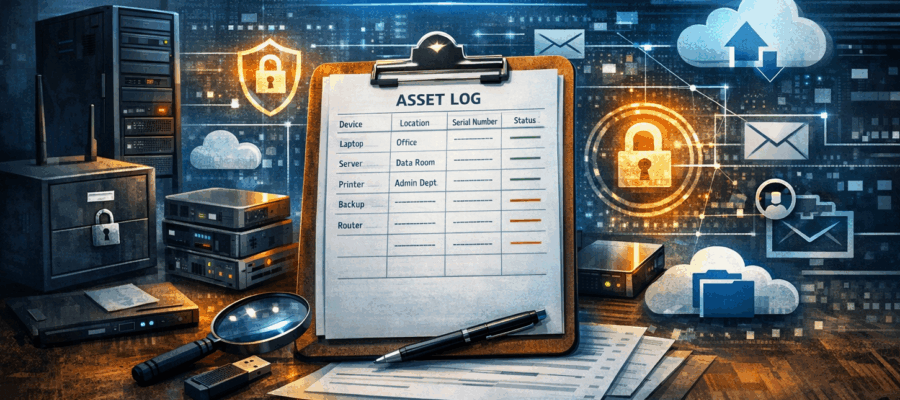
For each step we will go back to the asset log and expand the tabs to create a deeper understanding of your setup.
Start by simply expending your Asset Log and noting down what you already have in place. We will visit many of these recommendations in more detail in later modules.
1 – Hardware
Now you know what you have, we need to understand if this is up to date and secure.
Lets add a few more columns to the table as per the below.
- Current Firmware/OS
Start looking at the firmware installed on each device,
Is this up to date?
Are automatic updates turned on?
Security Best Practice requires that you should install security updates within 2 weeks of manufacturer release.
Do you currently have a way to achieve this? is it monitored? Does it cover everything?
Remember with Desktops and Computers, you may have Operating systems, Drivers and Firmwares to update.
Once a device is End of Life an no longer supported, it needs to be replaced to prevent know exploits compromising your network. - Administrative Access
Who has administrative access to these devices?
Security best practice requires that you keep this to a minimum and only allow Administrative access where absolutely needed.
Users that do require administrative access should be using an independent account, separate from their day to day work account. Furthermore, users should understand their access and have training around its use and how to protect these logins. - Physical Access
Hardware may be stolen, especially portable devices.
How do you restrict access where possible to prevent this, most computing can be secured with Kensington locks or similar.
Some risk can be reduced with Staff training and policies. Maybe staff should not leave devices unattended, visitor access to company offices may require an escort at all times, training can be provided around street mobile theft and risk awareness. - Data Encryption
Where possible drives should be encrypted to secure data. - Default Passwords
Default passwords for all devices can be found with a quick Google Search, you should ensure that printers, routers, Switches and all other network devices are no longer accessible via the default passwords.
NOTE: Be aware of lateral movement attacks, a simple device like a printer can be the perfect location inside your network to launch an attack outside of the reach of your firewall. Even ‘unimportant’ devices like smart speakers can provide a perfect place to attack from if not kept secure.
2) Physical Storage
Looking at Physical storage is just as important as Digital storage.
- Data Destruction
Do you have a process to destroy data that you ‘no longer have a business reason to retain’, this is require under Data Protection laws. - Data Security
Is Sensitive data under lock and key? Office doors may not be enough, what happens when the HR Person heads off for lunch or coffee? - Visitor Security
Are visitors supervised at all times? Do you retain a log of staff and visitor entrance and exit times?
3) Digital Storage
This section is likely more what you thought about when you originally thought of Cyber Security.
- Access Rights
The principal of least access is a core tenant of Cyber Security, Should a member of staff get breached at some time, you want to ensure that the attacker gets as limited access as possible. Also, should a member of staff want to ‘explore’ they should only see data relevant to their job role. E.g. John from sales doesn’t need to be able to see the employee discipline record of his work colleagues, that should only be visible to HR and management. - Data Encryption
Is data stored Encrypted, this expends to USB drives and other storage locations. - Data Destruction
Do you have a process to destroy data that you ‘no longer have a business reason to retain’, this is require under Data Protection laws. - Access Restrictions
How is access granted, is a username and password required to login?
Have you considered Multi Factor login methods?
Do you have rules on Password length, complexity and training to staff on how to create good passwords. What may seem obvious to some is less so to other and good training is essential. - Software Updates
Digital systems need to be kept up to date, firmware, operating systems and software should be patched and maintained to prevent known exploits being used against you.
Modern cyber security standards require security updates installed within 2 weeks of release. - Endpoint Protection
Systems should be secured with appropriate Antivirus, Web Filtering, Software Firewalls and these days EDR/MDR to detect and mitigate advanced threats.
This really becomes the minimum standard for Workstations and Servers.
Businesses should consider going further to XDR systems combining network access, online services and endpoints into one large threat detection infrastructure. - Backup
Should the worst happen, do you have immutable backups your data. Backups don’t only protect you from system failures such as disk drives dying, but ranges of Cyber attacks attempt to encrypt or delete your data and ransom the contents back to you. Having secure, immutable backups provides a failsafe if a cyber attack does breach your defences and restrict your data.
4) Online Systems
Online data breaches is a huge industry and securing online data is required.
- Multi Factor Authentication
Once a nice to have is now mandatory for all online systems, and not just for admins, all users must setup MFA as a minimum standard for security. If you systems doesn’t provide this option, you should seriously consider alternative options. - Administrative Access
Who has administrative access to these devices?
Security best practice requires that you keep this to a minimum and only allow Administrative access where absolutely needed.
Users that do require administrative access should be using an independent account, separate from their day to day work account. Furthermore, users should understand their access and have training around its use and how to protect these logins. - Access Restrictions
How is access granted, is a username and password required to login?
Have you considered Single Sign on? This reduces the quantity of logins staff need to manage and improve security and ease of access overall.
Do you have rules on Password length, complexity and training to staff on how to create good passwords. What may seem obvious to some is less so to other and good training is essential. - Backup
Many online systems have backups in place for full system outages, but wouldn’t be able to restore a single customer, Business must take responsibility for their own backups with Online Services.
5) Third Party Data Sharing
Keeping data secure internally is fine, but what happens when you share that data. How do they secure their own systems.
- Data Sharing
Many firms share data with third parties to deliver services, if this data is sensitive in any way, you should ensure that the recipient company is doing their bit to maintain security.
Strong contractual data sharing agreements can include requirements for similar security arrangements as you maintain internally, MFA, Strong passwords, Limited access, Encrypted storage, Staff training etc etc. - Certifications
Its not uncommon for businesses to require third parties prove Cyber Security with relevant certification such as the UK government Cyber Essentials program. This provides a level of confidence to your data sharing agreements.
Summary
First we looked at where and how data was stored, in this part we explored what security you have in place. You should now have an understanding of what you have and where your risks lie. Next we can start going through each area of risk in detail and understanding how these will help you to secure your data and protect you from risk.


